

What Is HCM? Guide to Human Capital Management Systems
What Is Human Capital Management Systems?

Content
Human Capital Management (HCM) represents a fundamental shift in how organizations approach their workforce. Rather than viewing employees as interchangeable parts in a business machine, HCM frameworks treat people as strategic assets whose growth directly impacts organizational success. This distinction matters because companies that adopt HCM philosophies typically see measurable improvements in retention, productivity, and competitive positioning.
For HR professionals evaluating new systems or business leaders trying to decode vendor pitches, understanding HCM goes beyond memorizing acronyms. It requires grasping how these platforms transform raw workforce data into strategic decisions—and recognizing when your organization actually needs that level of sophistication versus simpler alternatives.
Human Capital Management Definition and Core Principles
The human capital management meaning extends far beyond digitizing employee files or automating paycheck distribution. At its core, HCM encompasses the complete lifecycle of workforce management—from attracting candidates through retirement or departure—with an emphasis on developing capabilities that drive business outcomes.
Traditional HR systems focus on administrative tasks: tracking vacation days, storing I-9 forms, processing benefits enrollments. HCM platforms certainly handle these functions, but they layer strategic capabilities on top. A payroll system tells you what you spent on labor last month. An HCM system shows you which departments have the highest-performing employees, predicts where skill gaps will emerge in 18 months, and identifies which managers consistently develop promotable talent.
This strategic orientation manifests in three core principles that separate HCM from basic HR administration:
Investment mindset over cost management. HCM frameworks view compensation, training, and development as investments with expected returns rather than necessary expenses to minimize. A manufacturing company using this approach might analyze which safety training modules correlate with reduced workers' compensation claims, then allocate budget accordingly—not just check a compliance box.
Data-driven workforce planning. Instead of reacting to turnover or scrambling to fill sudden vacancies, HCM enables proactive planning. Retail chains use workforce analytics to predict seasonal staffing needs by location, accounting for historical turnover patterns and local labor market conditions. This prevents both understaffing during peak periods and expensive overstaffing during slow months.
Continuous development culture. HCM treats skill-building as an ongoing process integrated into daily work, not an annual training event. Technology companies exemplify this by embedding learning modules into performance workflows, allowing developers to complete relevant certifications as they work on projects requiring new frameworks.
The practical difference shows up in how organizations handle common scenarios. When a key employee gives notice, a basic HR system tracks their exit paperwork. An HCM platform flags their departure as a succession planning risk, identifies internal candidates with 70% of required skills, and automatically suggests development plans to bridge gaps before the position becomes vacant.

Author: Derek Holloway;
Source: alignedleaderinstitute.com
The 7 Essential Functions of HCM Software
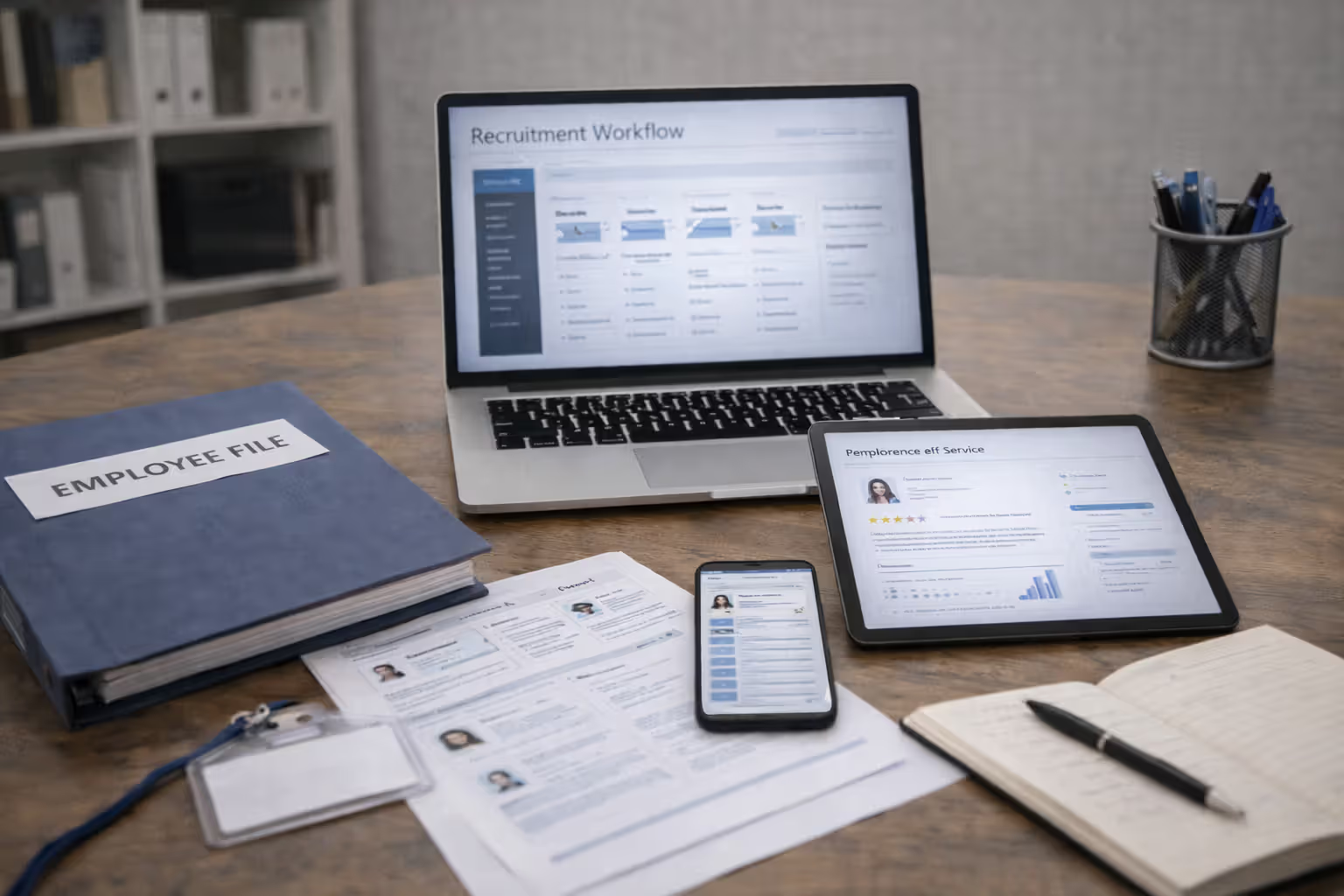
Modern HCM platforms integrate multiple workforce management capabilities into unified systems. While specific features vary by vendor, seven core functions define comprehensive HCM software:
Recruitment and onboarding streamlines hiring from job requisition through the first 90 days. Applicant tracking, interview scheduling, offer letter generation, and new hire paperwork flow through connected workflows. Healthcare systems use these tools to manage complex credentialing requirements, ensuring physicians complete all licensing verification before their first shift rather than discovering gaps afterward.
Payroll and benefits administration handles compensation processing, tax compliance, benefit enrollments, and leave management. The integration matters—when an employee updates their address for direct deposit, that change automatically flows to their W-2 information, benefits mailing address, and emergency contact records without separate data entry in multiple systems.
Performance management and goal tracking connects individual objectives to organizational priorities through cascading goal frameworks. Sales teams might have quota attainment tracked automatically through CRM integration, while marketing departments set project milestones that feed into quarterly reviews. Continuous feedback features replace annual review cycles with ongoing check-ins that surface issues before they become problems.
Learning and development delivers training content, tracks completion, manages compliance certifications, and identifies skill gaps. Restaurants use these modules to ensure food safety certifications stay current across hundreds of locations, automatically assigning refresher courses 30 days before expiration and alerting managers when employees fall behind.
Succession planning identifies critical roles, assesses internal talent pools, and creates development pathways for high-potential employees. When a regional director announces retirement, the system already has three internal candidates flagged with documented readiness assessments and specific experiences needed before promotion.
Workforce analytics and reporting transforms HR data into actionable insights. Dashboards show turnover rates by department, time-to-fill metrics by role, training completion percentages, and cost-per-hire trends. Advanced platforms use predictive analytics to flag flight risks—employees showing behavioral patterns that historically precede resignation.
Compliance management tracks regulatory requirements, generates required reports, and maintains audit trails. Multi-state employers particularly value automated tracking of varying minimum wages, overtime rules, and paid leave laws that differ by jurisdiction.
| Core HCM Function | Description | Key Benefits | Typical Users |
| Recruitment & Onboarding | Applicant tracking, offer management, new hire workflows | Faster time-to-productivity, improved candidate experience | Hiring managers, recruiters, HR coordinators |
| Payroll & Benefits | Compensation processing, tax compliance, benefits enrollment | Reduced errors, ensured compliance, employee self-service | Payroll specialists, benefits administrators, all employees |
| Performance Management | Goal setting, continuous feedback, review cycles | Aligned objectives, documented development, retention insights | Managers, employees, executives |
| Learning & Development | Training delivery, certification tracking, skill gap analysis | Improved capabilities, compliance maintenance, career pathing | L&D teams, compliance officers, employees |
| Succession Planning | Talent assessment, replacement planning, development pathways | Reduced vacancy risk, internal mobility, leadership pipeline | HR leadership, executives, high-potential employees |
| Workforce Analytics | Reporting dashboards, predictive modeling, trend analysis | Data-driven decisions, proactive planning, ROI measurement | HR analysts, executives, department heads |
| Compliance Management | Regulatory tracking, audit trails, required reporting | Risk mitigation, penalty avoidance, documentation proof | Compliance officers, HR leadership, legal teams |
Author: Derek Holloway;
Source: alignedleaderinstitute.com
The power emerges when these functions work together rather than operating as separate tools. An employee completes a certification through the learning module, which automatically updates their skills profile in succession planning, makes them eligible for a salary increase processed through payroll, and generates a performance note for their next review—all without manual data transfer.
HCM vs. HRIS vs. HRMS: Understanding the Differences
The alphabet soup of HR technology acronyms confuses many buyers. While vendors sometimes use these terms interchangeably for marketing purposes, meaningful distinctions exist that affect which system type fits different organizational needs.
HRIS (Human Resource Information System) represents the foundational layer—a database for storing and managing employee information. These systems handle core administrative tasks: maintaining personnel records, tracking time and attendance, managing benefits enrollments, and generating basic reports. An HRIS answers questions like "How many employees do we have in the Denver office?" or "Who's enrolled in the high-deductible health plan?" Small businesses with straightforward HR needs often find HRIS platforms sufficient.
HRMS (Human Resource Management System) adds process automation and workflow management to the HRIS foundation. Beyond storing data, HRMS platforms automate routine tasks like approval routing for time-off requests, benefits open enrollment campaigns, and performance review cycles. These systems answer questions like "Which managers haven't completed their team's annual reviews?" and automatically send reminders. Mid-sized companies typically adopt HRMS solutions when manual process management becomes unwieldy.
HCM (Human Capital Management) encompasses HRIS and HRMS capabilities while adding strategic workforce planning, advanced analytics, and talent development tools. HCM platforms answer forward-looking questions: "Where will we face skill shortages in two years?" or "Which retention initiatives deliver the best ROI?" The strategic layer distinguishes HCM from simpler systems.
The scope differences create practical trade-offs. A 50-person startup probably doesn't need predictive turnover modeling or complex succession planning—an HRIS that reliably tracks PTO and processes payroll delivers better value than an enterprise HCM platform they'll never fully utilize. Conversely, a 5,000-person organization with multiple locations absolutely needs the strategic capabilities that justify HCM investment.
| Feature Category | HRIS | HRMS | HCM | Best For |
| Employee database | ✓ | ✓ | ✓ | All organizations |
| Payroll processing | ✓ | ✓ | ✓ | All organizations |
| Benefits administration | ✓ | ✓ | ✓ | All organizations |
| Workflow automation | Limited | ✓ | ✓ | 100+ employees |
| Performance management | Basic | ✓ | ✓ Advanced | 50+ employees |
| Learning management | — | Basic | ✓ Comprehensive | Organizations prioritizing development |
| Workforce analytics | Basic reports | Standard reports | ✓ Predictive insights | 500+ employees or data-driven cultures |
| Succession planning | — | Limited | ✓ Strategic | Organizations with leadership pipeline needs |
| Talent acquisition | — | Basic | ✓ Integrated | High-growth or high-volume hiring |
| Mobile capabilities | Limited | ✓ | ✓ Advanced | Distributed or deskless workforces |
| Typical cost (per employee/month) | $5-$10 | $10-$18 | $18-$30+ | Budget-dependent |
One rule of thumb: if your HR team spends most of their time on administrative tasks and firefighting immediate issues, you probably need better HRMS automation before investing in HCM strategic tools. Strategic workforce planning only delivers value when you've first eliminated the chaos of manual processes consuming all available time.
How HCM Platforms Work: Technology and Integration Basics
Understanding hcm platform basics helps demystify vendor demonstrations and set realistic implementation expectations. Modern HCM systems typically operate on cloud-based architectures, meaning the software runs on the vendor's servers accessed through web browsers rather than installed on your company's computers.
This cloud approach delivers several practical advantages. Updates and new features deploy automatically without your IT team managing installations. Employees access the system from any device—desktop computers at headquarters, tablets on manufacturing floors, or smartphones for field service technicians. Disaster recovery becomes the vendor's responsibility rather than requiring your organization to maintain backup systems.
Mobile accessibility particularly matters for organizations with deskless workers. Warehouse employees can clock in/out, request schedule changes, and complete safety training modules from their phones without visiting an HR office or shared computer terminal. Managers approve timecards and review team performance from job sites rather than waiting until they return to their desks.
Employee self-service portals shift routine tasks from HR staff to individual employees. Rather than emailing HR to request PTO balance information or update a dependent's information, employees handle these transactions themselves through intuitive interfaces. This redistribution frees HR professionals to focus on strategic initiatives instead of answering repetitive questions about pay stub access.
Integration capabilities determine how well an HCM platform fits into your existing technology ecosystem. Payroll systems need accurate time and attendance data, often collected through separate timekeeping hardware. Accounting systems require labor cost information broken down by department or project. Benefits carriers need enrollment updates. Background check providers send results that trigger onboarding workflows.

Author: Derek Holloway;
Source: alignedleaderinstitute.com
Quality HCM platforms offer pre-built integrations with common business systems plus APIs (application programming interfaces) that allow custom connections. A construction company might integrate their HCM with project management software so labor hours automatically flow to job costing reports. A hospital network could connect their HCM to credentialing databases so license expirations trigger alerts before physicians lose privileges.
Data security and privacy require particular attention given the sensitive information HCM systems contain—Social Security numbers, salary details, health information, performance evaluations. Reputable vendors maintain SOC 2 certifications demonstrating audited security controls, encrypt data both in transit and at rest, and implement role-based access controls limiting who sees what information.
Compliance with regulations like GDPR (for European employees) or CCPA (California residents) adds complexity. Your HCM platform should support data subject access requests, allowing employees to download their personal information, and facilitate deletion requirements when employees leave. Multi-national organizations need systems that handle varying data residency requirements—some countries mandate that employee data physically reside on servers within their borders.
The technical architecture matters less than ensuring your chosen platform supports your specific workflows. A retail chain with 200 locations needs a system that handles decentralized hiring where store managers initiate requisitions but regional directors approve offers. A professional services firm bills clients based on employee time, requiring seamless flow from time tracking through invoicing.
Real-World HCM Examples Across Industries
HCM implementations vary dramatically based on organizational size, industry, and strategic priorities. Examining concrete examples illustrates how different organizations extract value from these systems.
Enterprise implementations at Fortune 500 companies often span tens of thousands of employees across multiple countries. A global manufacturing corporation might use HCM to standardize performance management across 40 countries while accommodating local labor laws, languages, and cultural norms. Their succession planning modules identify high-potential engineers in Malaysia who could eventually lead operations in Mexico, with development plans addressing both technical skills and cultural competencies.
These large-scale deployments typically show ROI through efficiency gains—reducing HR headcount ratios from 1:80 to 1:120 by automating routine transactions—and strategic improvements like cutting time-to-fill for critical roles by 40% through better talent pipeline visibility.
Mid-market applications focus on solving specific pain points rather than transforming entire HR functions. A 500-person technology company frustrated by inconsistent performance conversations might implement HCM primarily for its continuous feedback and goal-tracking features. They still process payroll through their existing system initially, adding that module later once the performance management adoption succeeds.
This phased approach reduces change management challenges and spreads costs over multiple budget cycles. The key success factor: solving a real problem the organization feels acutely rather than implementing comprehensive functionality "because we might need it someday."
Industry-specific adaptations demonstrate HCM flexibility. Healthcare organizations use compliance tracking to manage complex credentialing—physicians need current state licenses, board certifications, DEA registrations, and hospital privileges, each with different renewal cycles. HCM platforms track these requirements, send renewal reminders, and prevent scheduling until credentials are current.
Retail chains leverage workforce analytics to optimize scheduling. By analyzing historical sales patterns, foot traffic, and labor costs, they predict optimal staffing levels by location, day, and time. The system generates schedules that match traffic patterns while respecting employee availability preferences and labor law requirements around rest periods and overtime.
Manufacturing plants integrate HCM with safety management systems. When an incident occurs, the platform checks whether involved employees completed required safety training, flags any gaps, and generates corrective action plans. Workforce analytics identify departments or shifts with higher incident rates, prompting targeted interventions.
ROI metrics vary by implementation goals but commonly include:
- Time-to-fill reduction (30-50% improvements typical after HCM implementation)
- Voluntary turnover decrease (10-20% when performance and development tools are well-adopted)
- HR administrative time savings (20-40% through self-service and automation)
- Compliance penalty avoidance (difficult to quantify but significant for organizations previously facing violations)
- Overtime cost reduction (5-15% through better scheduling and workload visibility)
A regional healthcare system reported saving $2.3 million annually after HCM implementation—$800K from reduced agency staffing through better scheduling, $900K from turnover reduction in nursing roles, and $600K from compliance automation that eliminated previous penalty fees. Their implementation cost $1.8 million, delivering payback in under a year.
The common thread across successful implementations: clear objectives defined before vendor selection. Organizations that implement HCM "because everyone else is doing it" rarely achieve meaningful returns. Those solving specific, measurable problems—"our time-to-fill is 60 days and we're losing candidates" or "we have no visibility into our leadership pipeline"—see tangible improvements.
Choosing the Right HCM Tools: What to Evaluate Before Buying
Selecting HCM software ranks among the most consequential technology decisions HR leaders make. These systems typically remain in place for 5-10 years given implementation costs and change management challenges, making mistakes expensive to correct.
Must-have features should directly address your organization's specific pain points. If high-volume hiring is your primary challenge, robust applicant tracking with automated screening and interview scheduling matters more than sophisticated succession planning. If retention is the crisis, prioritize performance management and learning tools over recruitment features.
Create a weighted scoring matrix listing your top 10-15 requirements, assigning points based on importance. "Integrates with our existing payroll system" might receive 10 points as a non-negotiable requirement, while "includes built-in learning content library" gets 3 points as a nice-to-have. Vendors scoring below your threshold on must-haves get eliminated regardless of their other strengths.

Author: Derek Holloway;
Source: alignedleaderinstitute.com
Scalability considerations prevent outgrowing your system prematurely. A 300-person company growing 25% annually needs platforms that handle 1,000+ employees without requiring migration in three years. Ask vendors about their largest customers and whether feature sets or pricing models change at different employee counts. Some platforms work beautifully for 500 employees but become prohibitively expensive or lose functionality at 2,000.
Geographic expansion plans matter too. If you're currently US-only but planning international growth, ensure the platform supports multi-currency payroll, country-specific compliance, and localization in languages you'll need. Retrofitting these capabilities later often proves more expensive than selecting a globally-capable platform initially.
Vendor evaluation criteria extend beyond feature checklists. Implementation methodology matters—vendors offering fixed-price, fixed-timeline implementations with dedicated project managers typically deliver better experiences than those using time-and-materials contracts with shared resources. Ask how many implementations the proposed team has completed and request references from organizations similar to yours.
Ongoing support quality varies dramatically across vendors. What response times do they guarantee for critical issues? Do they charge extra for support or include it in subscription fees? Can you reach actual support staff or only chatbots and ticket systems? Request trial access to their support portal and submit a test question to experience their responsiveness.
Financial stability deserves attention—HCM vendors occasionally get acquired or go out of business, leaving customers scrambling. Review the vendor's funding history, customer count trends, and executive team stability. Publicly traded vendors provide financial transparency through SEC filings. Private companies require more digging, but rapid executive turnover or frequent pivots in product strategy signal potential instability.
The biggest mistake organizations make is selecting HCM systems based on features they think they should use rather than capabilities they'll actually adopt. A platform with 500 features you never touch delivers less value than one with 50 features your team uses daily. Start with your top three pain points, ensure the vendor solves those excellently, then evaluate additional capabilities as tiebreakers.
— Jason Averbook, CEO and Co-Founder, Leapgen
Common implementation mistakes to avoid:
Underestimating data cleanup requirements. Your new HCM system is only as good as the data you migrate into it. If your current employee records contain inconsistent job titles, missing hire dates, or duplicate entries, plan 2-3 months for data cleanup before implementation begins. Migrating messy data just moves problems to a new system.
Skipping change management. Technology adoption requires behavior change. If managers have never provided structured feedback, implementing a performance management system won't magically create feedback cultures. Budget time and resources for training, communication campaigns, and leadership modeling of desired behaviors.
Customizing too aggressively. Every customization increases implementation cost, extends timelines, and complicates future upgrades. Accept that the system might not match your current processes exactly—sometimes changing your process to match the software's best-practice workflow delivers better outcomes than forcing the software to replicate suboptimal legacy processes.
Ignoring integration complexity. Vendors often underestimate integration effort during sales cycles. Get integration requirements documented in contracts with specific deliverables and timelines. If the vendor claims integration is "simple," request technical architecture documents proving it before signing.
Choosing based solely on price. The cheapest option frequently becomes the most expensive after accounting for hidden costs, extended implementations, and productivity losses from poor usability. Calculate total cost of ownership over five years including implementation, training, ongoing support, and anticipated customizations—not just annual subscription fees.
Request pilots or proof-of-concept projects before full commitment when possible. Some vendors offer 30-60 day trials with limited user counts, allowing you to test core workflows with real data before organization-wide rollout. This approach surfaces usability issues and integration challenges while you can still walk away.
Frequently Asked Questions About HCM
Human Capital Management systems represent significant investments in both money and organizational change, but they deliver measurable returns when implemented strategically. The key is matching system capabilities to your actual needs rather than purchasing comprehensive functionality you'll never use or selecting inadequate platforms you'll quickly outgrow.
Start by identifying your top three workforce management challenges—whether that's excessive time-to-fill, compliance risks, retention problems, or lack of visibility into your talent pipeline. Evaluate HCM platforms primarily on how well they solve those specific issues, using additional features as tiebreakers rather than primary selection criteria.
Remember that technology alone doesn't create better workforce outcomes. HCM platforms provide tools and data, but organizational culture, management capabilities, and change management execution determine whether those tools get adopted and deliver value. The most sophisticated succession planning module accomplishes nothing if managers don't invest time in talent development conversations.
For organizations ready to move beyond administrative HR toward strategic workforce planning, HCM platforms provide the infrastructure to make that transition. They transform workforce data from compliance records into strategic assets, enable proactive planning instead of reactive firefighting, and free HR professionals to focus on developing people rather than processing paperwork.