
What Is HRIS? Guide to Human Resource Information Systems
What Is Human Resource Information Systems?

Content
Here's something I see constantly: a company hits 30 employees and suddenly their office manager is drowning. Spreadsheets tracking vacation days don't match what people remember requesting. Payroll takes an entire Friday afternoon. Someone asks "how many people do we have in Colorado?" and nobody knows without counting manually.
Sound familiar? You've outgrown informal HR processes—you need an HRIS.
Understanding HRIS: Definition and Core Components
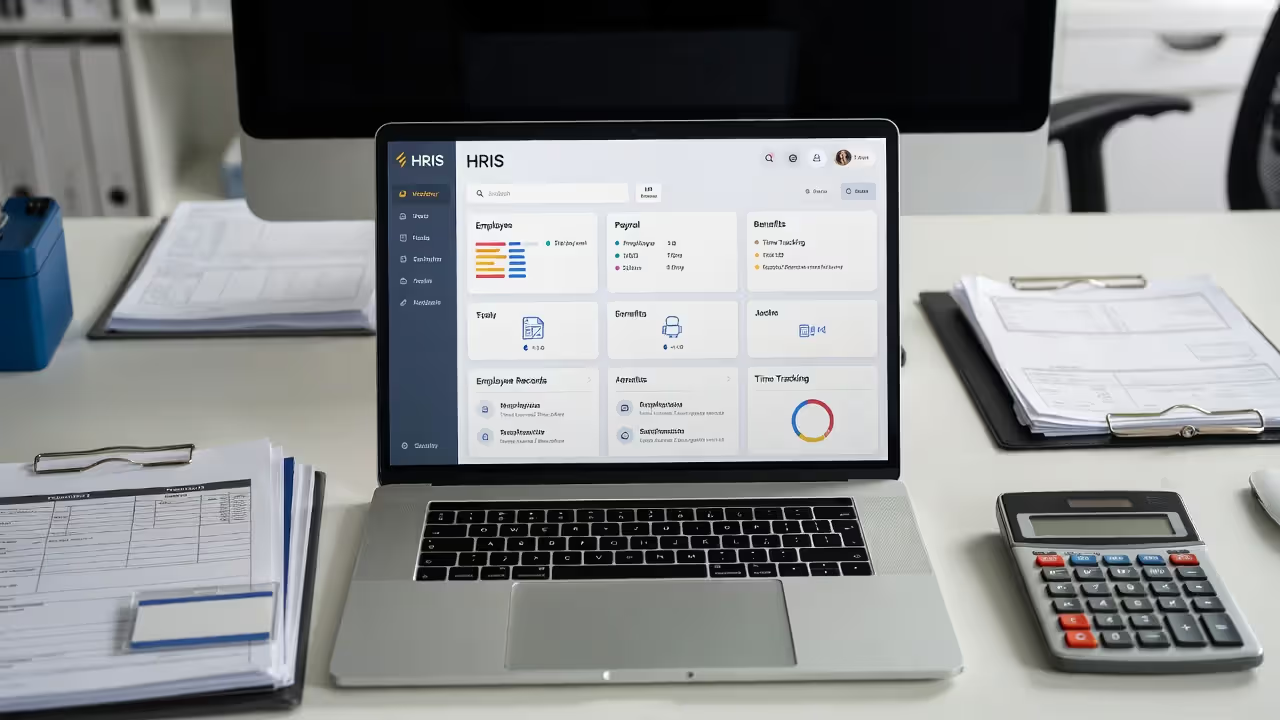
HRIS stands for Human Resource Information System. Strip away the jargon and you've got software that centralizes everything about your employees—who they are, how much you pay them, which benefits they've chosen, when they're taking time off.
Back in 1985, an HRIS meant a mainframe computer spitting out payroll calculations on green-bar paper. Your HR department needed a programmer just to generate a headcount report. The human resource information system meaning has shifted dramatically. Today's platforms run entirely in web browsers, work on phones, and can be set up in a week without touching a server.
Four core modules show up in virtually every HRIS:
Employee data management creates a single source of truth about each person. You're storing the obvious stuff—names, addresses, Social Security numbers—plus hire dates, job history, salary progression, emergency contacts, performance notes. The real value? When Jennifer in accounting updates her address because she just moved, that change immediately appears everywhere: payroll, benefits, the company directory, tax forms. No more "I told someone but my W-2 went to my old apartment."
Payroll processing handles the math and compliance nightmare of paying people correctly. Federal tax withholding, state taxes (and yes, some states have weird rules), local taxes in certain cities, Social Security and Medicare, pre-tax deductions for health insurance, post-tax deductions for garnishments, shift differentials, overtime calculations that vary by state—your HRIS does all of it. For US employers, this alone justifies the cost. One mistake on a tax filing can trigger an audit that costs more than three years of HRIS fees.
Benefits administration becomes essential once you're offering more than basic health insurance. Open enrollment used to mean a conference room full of paper forms and your HR person answering the same questions 40 times. Now employees log in, see their options explained in plain English, make their elections, and add dependents with a few clicks. When someone has a baby—a qualifying life event—the system knows they can change coverage mid-year and walks them through it.
Time and attendance tracking connects directly to payroll so the hours people work determine what they're paid (revolutionary concept, right?). Your warehouse workers clock in on a tablet at the entrance. Your field service techs use a phone app. Your office staff just log their hours in a browser. Everything feeds into one system that flags oddities before you run payroll: "Hey, Marcus logged 58 hours this week—is that accurate or did he forget to clock out?"
Small businesses started adopting these systems widely in the late 1990s. The trigger? Congress kept adding employment laws and compliance requirements. Companies realized that managing HR manually was becoming legally risky.
Author: Caroline Whitaker;
Source: alignedleaderinstitute.com
HRIS vs. HRMS vs. HCM: Key Differences Explained
The acronyms multiply faster than your employee count. Here's what actually distinguishes these systems.
An HRIS takes care of operational necessities. You need to pay people on time, track who's working when, manage benefits enrollment, and maintain accurate records. It's administrative infrastructure—not glamorous, but break it and your company stops functioning.
An HRMS (Human Resource Management System) adds the talent development layer. Beyond paying and tracking people, you're recruiting them (applicant tracking), onboarding them (structured workflows), evaluating them (performance management), and training them (learning management). The focus expands from "accurately process transactions" to "develop our workforce strategically."
HCM (Human Capital Management) goes further into strategic territory. You're doing workforce planning (how many engineers will we need in 18 months?), succession planning (who's ready to step into senior roles?), compensation modeling (how do our salaries compare to market rates by role and location?), and analyzing everything to optimize your largest expense—labor.
Here's the practical breakdown:
| System Type | Primary Focus | Key Features | Best For (Company Size) |
| HRIS | Day-to-day administrative tasks | Payroll processing, benefits tracking, employee records, time/attendance, compliance documentation | 10–250 employees who need operational efficiency |
| HRMS | Complete talent lifecycle | Everything HRIS does, plus: applicant tracking, structured onboarding, performance reviews, training programs | 100–1,000 employees building formal HR programs |
| HCM | Workforce optimization | Everything HRMS does, plus: workforce planning, succession pipelines, compensation analysis, predictive analytics | 500+ employees with complex organizational needs |
A 35-person architecture firm probably needs an HRIS—they're not running elaborate talent development programs. A 400-person manufacturing company expanding into new states wants HRMS capabilities to standardize how they hire and train across locations. A 3,000-person hospital system requires HCM functionality to plan staffing needs and manage clinical credentials.
The boundaries blur constantly. HRIS vendors add recruiting modules to move upmarket. HCM platforms launch "essentials" versions targeting mid-sized buyers. Don't get hung up on the label—focus on which specific capabilities you'll use this year and next year.
7 Core Functions Every HRIS Should Handle
Shop for an HRIS and you'll see feature lists with 50+ items. Most of that's noise. Seven functions actually matter for US employers.
Employee database management sounds boring until you need information fast. When your insurance broker asks for a census file with 23 specific data points for each employee, can you generate it in five minutes? When an employee claims they never received their raise, can you pull up a complete history showing every compensation change with dates and approver names? Strong database functionality includes custom fields (so you can track whatever matters in your industry), change history (who modified what and when), and segmentation (give me everyone in Texas who's been here less than a year).
Payroll processing and tax compliance gets complex fast in the US. You've got federal withholding tables that change when Congress passes tax legislation. You've got state income taxes with different brackets and rules—nine states don't have income tax at all, while California has ten brackets. Some cities impose local income taxes. Managing remote workers across multiple states creates nexus questions. Your HRIS needs to handle all of it correctly, file the tax payments, and generate W-2s in January that actually match what you withheld. The penalties for errors aren't trivial—the IRS charges 2% to 10% of unpaid taxes plus interest.

Author: Caroline Whitaker;
Source: alignedleaderinstitute.com
Benefits administration prevents expensive mistakes. You're paying health insurance premiums based on enrollment data—if your carrier's records show 53 enrolled employees but you've only got 48, you're wasting money. COBRA administration alone justifies an HRIS—the law requires specific notices within tight timeframes, and penalties for non-compliance start at $110 per day per violation. Better systems connect directly to major insurance carriers, so enrollment changes flow automatically without you uploading spreadsheets.
Time and attendance tracking stops the revenue leaks that add up quietly. "Buddy punching"—one employee clocking in for another who's running late—can cost retailers 2% to 8% of gross payroll. Forgotten overtime approvals trigger FLSA violations. A good system makes time theft harder and flags anomalies: why did Sara clock in at 3:47 AM on Tuesday? Your HRIS should support however your employees actually work—biometric scanners, mobile GPS check-ins, manual entry, integration with existing time clocks.
Reporting and analytics separate useful systems from expensive data graves. The standard reports should be instantly available without configuration: turnover rate by department and tenure, headcount trends, overtime patterns, demographics for EEO reporting, PTO accrual balances. Custom reports let you answer the specific questions keeping you awake: which managers have the lowest retention rates? How does our paid parental leave usage compare to what we budgeted? You shouldn't need to export data to Excel to answer basic operational questions.
Compliance management keeps regulators away from your door. US employers face a maze of requirements: I-9 verification within three days of hire (with specific document retention rules), sexual harassment training mandated in California and New York, safety training for certain industries, accommodation documentation under the ADA, FMLA tracking and required notices. Your HRIS should maintain an audit trail, send alerts when certifications expire, generate required government reports, and store documentation in a way that survives an investigation.
Self-service portals cut your HR team's workload dramatically. Employees access their own pay stubs, update direct deposit information, download previous W-2s, see their remaining PTO balance, and submit time-off requests—all without sending you an email. Managers approve requests, view their team's schedules, and access organizational charts without asking HR for the information. Each self-service transaction is an interruption you avoided. At 50 employees, this saves hours per week. At 200 employees, it saves entire days.
Proven Benefits of Implementing an HRIS
ROI from an HRIS shows up faster than most software investments, starting within the first pay period.
Time savings are the most visible benefit. I talked to an HR manager at a 70-person distribution company last month—she spent six hours processing each bi-weekly payroll manually. After implementing an HRIS, payroll takes 45 minutes to review and approve. That's 10.5 hours saved every month, or 126 hours annually. She redirected that time to finally building an employee handbook and improving their onboarding process. The pattern repeats across every HR task: benefits enrollment that used to take three weeks now takes three days. PTO tracking that required constant email threads now happens automatically.
Improved data accuracy prevents problems that cost real money. A client's previous system (Excel spreadsheets) had an employee's salary entered as $72,000 instead of $70,000. The error lasted seven months before anyone noticed—they overpaid $1,167 that they couldn't legally recoup. Another company miscalculated overtime for an entire quarter, underpaying 12 employees, which triggered a Department of Labor complaint and $18,000 in back pay plus penalties. HRIS platforms eliminate transcription errors, validate data as it's entered (the system won't let you enter a hire date in the future), and maintain consistency (the salary in the payroll module exactly matches what's in the compensation records because they're the same field).
Better decision-making emerges when you have reliable data instantly accessible. Your CEO asks whether you can afford to give everyone a 4% raise—you pull up total payroll costs, model the increase, and have an answer in ten minutes instead of two days. Turnover spikes in your customer service department—you analyze the data and discover that people who attend your three-week training program have 60% better retention than those who got abbreviated training, leading you to eliminate the short program. Those insights were always theoretically possible with spreadsheets, but practically nobody's pulling together six different files to run the analysis.

Author: Caroline Whitaker;
Source: alignedleaderinstitute.com
Enhanced employee experience drives retention in ways that are hard to measure but absolutely real. Employees value access—checking their PTO balance at 9 PM while planning vacation, downloading a pay stub from their phone when applying for an apartment, updating their W-4 withholding after getting married without waiting for HR office hours. The alternative (emailing HR and waiting for a response) feels dated to anyone under 40. When competing for talent, small operational frustrations accumulate into reasons people leave.
Cost reduction compounds across multiple areas. Labor costs drop because you need fewer people to manage HR operations. Compliance costs shrink because you're not paying penalties for missed deadlines or incorrect filings. Benefits costs decline when you eliminate paying for terminated employees who should have been removed from coverage. Insurance audits go faster (lower professional fees). For a company with 100 employees, these savings typically exceed $50,000 yearly—often enough to pay for the HRIS entirely.
Josh Bersin, a well-known HR industry analyst, notes:
Organizations that have successfully implemented modern HRIS platforms report 40% faster payroll processing, 35% reduction in HR administrative costs, and significantly improved compliance posture. The ROI typically materializes within 12–18 months for companies with more than 50 employees.
— Josh Bersin
Popular HRIS Tools and Examples for US Companies
The HRIS market includes hundreds of vendors, but a handful dominate the small-to-midsize business space.
BambooHR wins design awards for a reason—the interface feels intuitive even for people who aren't particularly tech-savvy. Small businesses (10 to 200 employees typically) appreciate how quickly they can get started and how rarely employees need help navigating the system. The employee database functionality is particularly strong. The tradeoff? BambooHR doesn't process payroll itself—you'll integrate with a payroll provider, which means another vendor relationship.
Gusto takes the opposite approach, bundling payroll with HRIS features in one package. For companies under 100 employees, this integration creates a smoother experience—everything happens in one place, you're paying one vendor, and setup is straightforward. Gusto handles multi-state payroll well, which matters if you're hiring remote workers. The limitations emerge around customization—workflows and fields are less flexible than systems built for larger, more complex organizations.
ADP Workforce Now serves the 50 to 1,000 employee range, particularly companies with complicated payroll situations: multiple pay schedules, union contracts, construction industry certified payroll reporting, wage garnishments, multi-state unemployment insurance. ADP has processed payroll since 1949—they've seen every edge case. Implementation requires more configuration time and the interface feels corporate compared to newer platforms, but the depth is there when you need it.
Workday targets large enterprises (500+ employees) who need sophisticated reporting and can invest in longer implementations. The analytics capabilities are genuinely impressive—workforce planning, compensation modeling, succession management. You're looking at six-figure implementation costs and 4-6 month timelines. Most small businesses find Workday overpowered and overpriced.
Zenefits built its reputation on benefits administration and added HRIS features around that core. If you offer complex benefits (multiple health plans, FSAs, HSAs, commuter benefits, supplemental insurance), Zenefits shines with its carrier integrations and compliance tools. Payroll has improved but remains a secondary feature. Companies with 20 to 500 employees and generous benefits packages find the best fit.
Here's how they compare on practical factors:
| Tool Name | Starting Price | Company Size | Standout Feature | Integration Highlights |
| BambooHR | $6 per employee monthly | 10–500 employees | Exceptional user interface and experience | Links with most major payroll systems, 100+ pre-built integrations |
| Gusto | $40 monthly base plus $6 per employee | 5–100 employees | Complete payroll and HR in single platform | QuickBooks, Xero, and most accounting software |
| ADP Workforce Now | Custom quotes (typically $15-25 per employee monthly) | 50–1,000 employees | Deep payroll and tax compliance functionality | Native connections to major benefits and retirement providers |
| Workday | Custom quotes (often $100K+ annually) | 500+ employees | Enterprise analytics and workforce planning | Enterprise ERP systems, extensive API library |
| Zenefits | $8 per employee monthly | 20–500 employees | Benefits administration and carrier connectivity | Pre-built integrations with major insurance carriers |
Understand that base pricing rarely tells the complete story. BambooHR charges extra for applicant tracking and performance management modules. Gusto includes payroll tax filing in the base price, making total costs more predictable. ADP pricing varies dramatically based on which modules you activate and how much implementation help you need.
Choosing the Right HRIS for Small Business: 5 Decision Factors
Small businesses can't afford expensive mistakes, so these five factors matter more than flashy features.
Budget and pricing models require looking beyond monthly fees. Some vendors charge $8 per employee monthly—sounds affordable until you realize that's just the HRIS, and payroll costs another $6 per employee plus $35 base fee. Others bundle everything for $15 per employee with no base fee. Calculate the true annual cost including implementation (anywhere from $0 for self-service to $8,000 for complex deployments), training time, and necessary integrations. That $10 per employee monthly system requiring a $6,000 implementation actually costs more in year one than a $16 per employee monthly system that's running in a week.
Watch for charges that appear after you've signed: payroll tax filing fees, extra costs for each state where you have employees, premium support tiers required to get phone access, additional fees for API connections. Gusto publishes straightforward all-in pricing. Other vendors reveal the add-ons only during contract negotiations.
Scalability and growth readiness determine whether you're buying a short-term solution or infrastructure that lasts five years. You've got 30 employees now, but if your growth plan shows 80 in two years, pick a system that handles that trajectory comfortably. Ask vendors directly: at what size do customers typically outgrow your platform? Which features appear only in higher pricing tiers? Can you add modules later without migrating your data?
BambooHR and Zenefits scale naturally from 15 to 400 employees. Other systems feel perfect at 25 employees and awkward at 60. Avoid selecting a platform you'll need to replace within 24 months—migration projects consume massive time.
Integration with existing tools determines whether your HRIS simplifies operations or creates new problems. Most small businesses already run QuickBooks or Xero for accounting—payroll needs to sync there automatically. If you work with a 401(k) provider, does the HRIS send demographic and contribution data electronically? If you use Slack for communication, can the HRIS post notifications there?
Direct integrations beat third-party connectors consistently. Gusto syncing payroll expenses directly into QuickBooks happens reliably. A system requiring Zapier connections or CSV file exports introduces friction—someone has to remember to run the export, map the fields correctly, and import the file. That's the manual work you're trying to eliminate.
Ease of use and implementation time matters enormously when you lack an IT department. Can you configure the system yourself following documentation and videos, or must you hire a consultant? How much vendor support is included during setup? What's the realistic timeline from contract signature to employees using the system?
BambooHR emphasizes fast implementation—many customers go live within two weeks. ADP implementations average 6-8 weeks. Enterprise systems like Workday measure implementation in quarters. For small businesses, faster implementation means faster ROI and fewer weeks operating two systems simultaneously during transition.
Customer support and training resources become critical when something breaks the day before payroll. Can you call someone, or only submit email tickets that get answered "within one business day"? Are support hours compatible with when you actually work? What self-help resources exist—video tutorials, searchable documentation, active user community?
Check recent reviews on G2 or Capterra, filtering specifically for companies similar to your size and industry. A vendor might provide white-glove support to enterprise customers paying $200,000 annually while small-business customers wait 48 hours for email responses. Gusto and BambooHR consistently score high on support quality in the small business segment.

Author: Caroline Whitaker;
Source: alignedleaderinstitute.com
Frequently Asked Questions About HRIS
Selecting an HRIS commits you to a platform that touches every employee and affects daily operations. Start by documenting your current pain points in specific terms: Payroll errors occur in 15% of pay periods. Benefits enrollment consumes 30 hours of HR time every year. Managers complain they can't see who's scheduled next week without asking HR. Prioritize fixing your biggest problems rather than accumulating features you might theoretically use someday.
Request demos from three vendors matching your company size and industry. During demos, insist on seeing specific workflows you'll use weekly—running a complete payroll cycle, approving PTO requests, generating a turnover report filtered by department. Generic presentation decks don't reveal whether the system handles your actual requirements comfortably or requires frustrating workarounds.
Talk to references from companies similar to yours—similar size, industry, and geographic footprint. A platform working beautifully for a 40-person software startup might frustrate a 50-person construction company with field workers, multiple job sites, and complex overtime calculations. Ask references the questions vendors won't answer: What surprised you after going live? What would you do differently knowing what you know now? When you've had problems, has the vendor been responsive?
Calculate the complete three-year cost of ownership, not just the appealing monthly fee on the pricing page. Include implementation costs, training time, integration development if needed, and any efficiency gains. A system costing $200 more monthly but saving your HR manager 12 hours of work each month generates clear positive ROI.
The right HRIS eliminates administrative friction, reduces legal risk, and provides data for better decisions about your largest investment—your people. For growing companies, it's not a luxury purchase—it's operational infrastructure determining whether your HR function scales smoothly or becomes the bottleneck preventing growth.