
What Is HRMS? Guide to Human Resource Management Systems
What Is Human Resource Management Systems?

Content
Human Resource Management Systems have become backbone infrastructure for companies managing everything from payroll to performance reviews. Yet confusion persists around what these platforms actually do, how they differ from similar tools, and whether your organization truly needs one.
This guide cuts through the marketing speak to explain HRMS capabilities, compare leading platforms, and help you determine if the investment makes sense for your business size and industry.
HRMS Meaning: Breaking Down the Acronym and Core Purpose
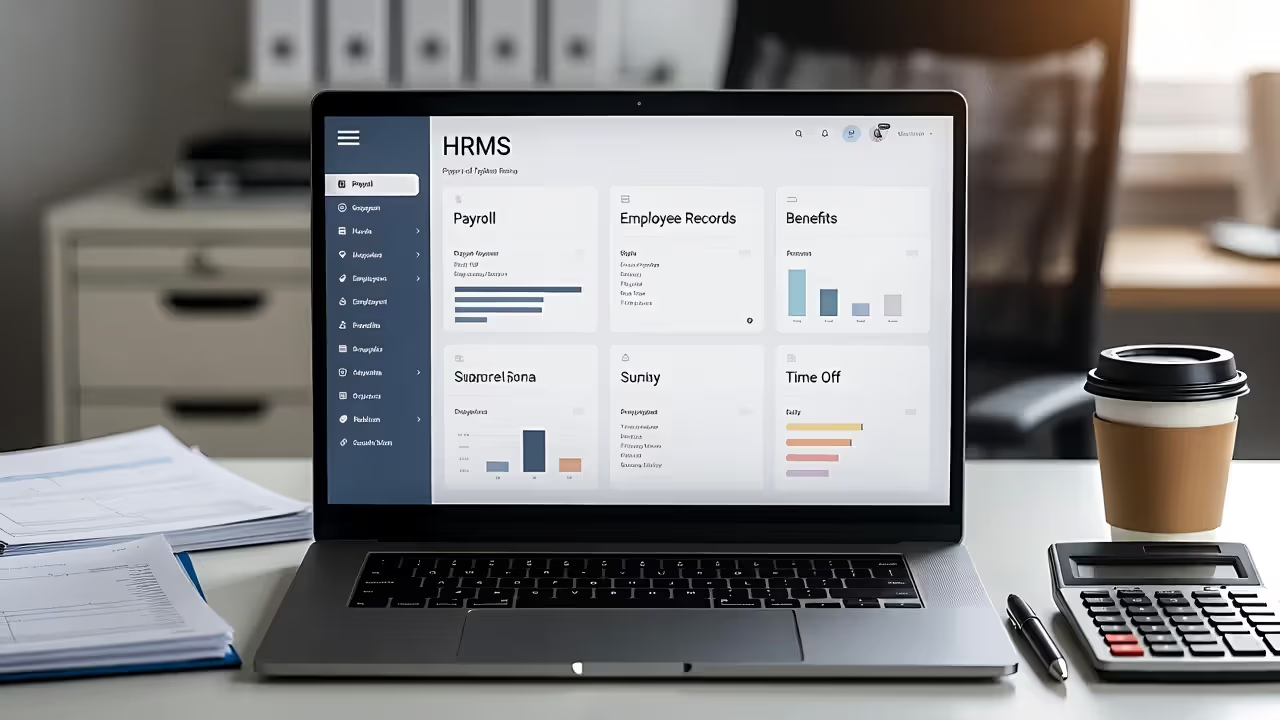
HRMS stands for Human Resource Management System—software designed to centralize and automate the administrative tasks HR departments handle daily. Think of it as a digital command center where employee data, payroll calculations, benefits enrollment, time-off requests, and compliance documentation live in one searchable database rather than scattered across filing cabinets and spreadsheets.
Twenty years ago, HR professionals spent hours manually calculating overtime, filing paper I-9 forms, and tracking vacation days on wall calendars. A single payroll error could cascade into tax penalties. Today's HRMS platforms handle these calculations automatically, flag compliance issues before they become problems, and give employees direct access to update their own information.
The shift from paper to digital HR started with basic databases in the 1990s, evolved into client-server systems in the 2000s, and has now moved predominantly to cloud-based platforms accessible from any device. This evolution reflects broader workplace changes: distributed teams, complex regulatory environments, and employee expectations for self-service tools matching their consumer app experiences.
Companies of all sizes use HRMS platforms, though implementations vary dramatically. A 50-person marketing agency might use HRMS primarily for payroll and PTO tracking, while a 5,000-employee manufacturer leverages the same type of system for workforce planning, succession management, and predictive analytics about turnover risk. Healthcare organizations, financial services firms, and government contractors face particularly complex compliance requirements that make HRMS platforms nearly mandatory above certain headcounts.
Author: Jonathan Carver;
Source: alignedleaderinstitute.com
HRMS vs HRIS: Understanding the Key Differences
The terms HRMS and HRIS (Human Resource Information System) get used interchangeably in casual conversation, but they represent different scopes of functionality. HRIS platforms handle core administrative tasks—the essential record-keeping and transactional work. HRMS platforms include those same administrative functions but add strategic workforce management tools.
An HRIS tracks who works for you and processes their paychecks. An HRMS does that and helps you develop those employees, plan for future workforce needs, and analyze patterns in your human capital data.
Here's how the capabilities stack up:
| Feature | HRIS | HRMS |
| Payroll Processing | ✓ | ✓ |
| Benefits Administration | ✓ | ✓ |
| Performance Management | Limited | ✓ |
| Talent Management | ✗ | ✓ |
| Learning Management | ✗ | ✓ |
| Workforce Planning | ✗ | ✓ |
When does an organization need the expanded capabilities of HRMS over basic HRIS? Three scenarios typically drive the upgrade:
Growth complexity: Once you pass 75–100 employees, manual performance reviews become unmanageable. You need structured workflows, calibration tools, and historical tracking that HRMS platforms provide.
Talent competition: Companies in competitive hiring markets use HRMS talent management features to identify high-potential employees, create development plans, and reduce regrettable turnover. A basic HRIS won't tell you which team members are flight risks or ready for promotion.
Compliance requirements: Organizations in heavily regulated industries need audit trails, automated policy acknowledgments, and training tracking that extend beyond what HRIS platforms typically offer.
The price difference reflects these capability gaps. Basic HRIS platforms start around $5–8 per employee monthly, while comprehensive HRMS solutions range from $12–30+ per employee depending on modules and vendor.
Core HRMS Functions That Streamline HR Operations
HRMS platforms consolidate previously separate processes into interconnected workflows. Here's what happens behind the scenes when these systems run properly:
Payroll processing and tax compliance forms the foundation. The system calculates gross pay based on hours worked (pulled from time-tracking integration), applies federal and state tax withholdings, processes deductions for benefits and garnishments, and generates direct deposits. It files quarterly tax reports, produces W-2s annually, and updates tax tables when rates change. For multi-state employers, it handles the complexity of different state tax rules without HR staff becoming tax experts.
Time and attendance tracking captures when employees clock in and out, calculates overtime automatically based on FLSA rules, and flags exceptions like missed punches or unusual patterns. Mobile apps let field workers clock in from job sites. The data flows directly into payroll, eliminating the transcription errors that plagued paper timesheets.
Benefits administration manages the entire lifecycle from open enrollment through life events to COBRA administration. Employees compare plan options, make elections, and add dependents through guided workflows. The system enforces eligibility rules, calculates employer contributions, transmits enrollment files to insurance carriers, and processes premium deductions. When someone gets married or has a baby, the platform ensures they can update coverage within the legally required windows.
Performance management structures the review process so managers can't ghost their direct reports. The system sends reminders, provides rating scales and competency frameworks, collects peer feedback, and stores historical reviews for reference during promotion decisions. More sophisticated implementations include goal-setting modules that cascade company objectives down to individual contributors and track progress quarterly.

Author: Jonathan Carver;
Source: alignedleaderinstitute.com
Recruitment and applicant tracking posts jobs to multiple boards simultaneously, parses resumes into structured candidate profiles, manages interview scheduling, and stores interviewer feedback. Hiring managers can compare candidates side-by-side rather than relying on memory from interviews three weeks apart. The system also generates EEO reports and maintains records required for OFCCP compliance.
Employee self-service portals shift routine requests away from HR staff. Employees update addresses, download pay stubs, request time off, view benefits summaries, and acknowledge policy changes without emailing HR. This self-service approach cuts HR administrative time by 40–60% in most implementations, freeing HR professionals for strategic work.
Essential HRMS Features to Look For
Not all HRMS platforms deliver equal value. Five architectural and functional characteristics separate systems that become indispensable from those that frustrate users:
Cloud-based deployment has become table stakes for new implementations. Cloud platforms eliminate server maintenance, provide automatic updates, enable remote access, and typically cost less upfront than on-premise installations. On-premise systems still exist primarily in government agencies and organizations with data residency requirements, but the maintenance burden and upgrade costs make them increasingly rare. Budget 15–20% less time for IT involvement with cloud platforms versus on-premise alternatives.
Mobile accessibility matters more than vendors' marketing materials suggest. A system with a genuinely mobile-responsive interface—not just a desktop site shrunk to phone size—gets used. Employees approve timesheets from soccer games, managers conduct performance check-ins from airports, and executives review headcount reports from coffee shops. Look for native iOS and Android apps, not just mobile web access.
Integration capabilities determine whether your HRMS becomes a central hub or an isolated island. The platform should connect bidirectionally with your accounting system, applicant tracking system, learning management platform, and background check provider. Pre-built integrations save thousands in custom development costs. API documentation quality tells you how painful custom integrations will be when you need them.
Reporting and analytics dashboards separate basic systems from strategic tools. Standard reports (headcount, turnover, time-to-fill) should come preconfigured. Custom report builders let you answer specific questions without vendor professional services. The best platforms include predictive analytics—identifying flight risk, forecasting hiring needs, or spotting pay equity issues before they become legal problems.
Compliance tracking and audit trails protect you during investigations and audits. The system should log who accessed which records when, maintain required documentation retention schedules, and generate reports for EEOC, DOL, and IRS requests. Automated workflows ensure I-9s get completed within three days, harassment training happens annually, and policy acknowledgments are collected from every employee.
Scalability options prevent outgrowing your system in three years. Module-based architectures let you start with core HR and payroll, then add performance management and learning as you grow. User-based pricing that decreases per-employee at volume protects you from budget shocks as headcount increases.
One underrated feature: data migration support during implementation. Vendors who provide structured templates and dedicated resources for moving your historical data prevent the nightmare scenario where you launch a new system but need to reference the old one for years.
Real-World HRMS Examples: Leading Platforms Compared
The HRMS market includes dozens of vendors, but five platforms dominate conversations among mid-market and small business buyers:
| Platform | Starting Price | Best For | Top Features | Deployment |
| Workday | Custom (typically $300K+ annually) | Enterprise (1,000+ employees) | Advanced analytics, workforce planning, global compliance | Cloud |
| BambooHR | $5.25/employee/month | Growing companies (50–500 employees) | User experience, employee self-service, reporting | Cloud |
| ADP Workforce Now | ~$60/month + $8–12/employee | Companies wanting bundled payroll + HR | Payroll accuracy, tax filing, compliance tools | Cloud |
| Gusto | $40/month + $6/employee | Small businesses (under 100 employees) | Ease of use, benefits marketplace, onboarding | Cloud |
| Rippling | $8/employee/month | Tech-forward companies (20–500 employees) | IT + HR integration, global hiring, automation | Cloud |

Author: Jonathan Carver;
Source: alignedleaderinstitute.com
Workday dominates the enterprise market with sophisticated workforce planning, financial integration, and global capabilities. Organizations choose Workday when they need to manage complex organizational structures, run scenario planning for restructuring, or consolidate HR data across dozens of countries. The implementation timeline runs 6–18 months, and you'll need dedicated internal resources plus expensive consulting partners. Small and mid-market companies find Workday overkill unless they're planning aggressive growth.
BambooHR wins loyalty through intuitive design and strong employee experience. The platform handles core HR functions well without overwhelming users with features they don't need. Companies appreciate the mobile app, the employee satisfaction survey tools, and reporting that doesn't require a data analyst to interpret. BambooHR works best for companies between 50–500 employees who want good HR software without enterprise complexity or price tags.
ADP Workforce Now appeals to organizations prioritizing payroll accuracy and compliance over cutting-edge user experience. ADP's decades processing payroll show in tax filing reliability and handling edge cases (multi-state employees, complex garnishments, union dues). The HR modules feel more utilitarian than modern, but they work. Companies in industries with complicated payroll requirements—construction, healthcare, hospitality—often choose ADP for peace of mind.
Gusto targets small businesses wanting simple, affordable HR without sacrificing functionality. The interface feels consumer-grade in the best way—clean, obvious, and hard to break. Gusto's benefits marketplace simplifies offering health insurance, 401(k), and other perks that small businesses traditionally struggled to provide. The platform works beautifully until you hit about 75–100 employees, when you'll likely need more sophisticated performance management and workforce planning tools.
Rippling differentiates by combining HR and IT management in one platform. You can provision a new employee's laptop, email, applications, and payroll simultaneously. For technology companies and other organizations with significant IT infrastructure, this integration eliminates duplicate data entry and security gaps. Rippling also handles global hiring better than most platforms in this price range, supporting contractors and employees in 100+ countries.
The platform you choose matters less than ensuring it matches your actual requirements. A 40-person professional services firm doesn't need Workday's workforce planning. A 2,000-employee manufacturer can't run on Gusto. Match your complexity to the platform's capabilities, and budget 10–15% of the annual software cost for implementation and training.
HRMS for Small Business: Is It Worth the Investment?
Small business owners often question whether HRMS investment makes sense given their limited HR budgets. The math depends on your current headcount, growth trajectory, and the hidden costs of manual processes.
Cost considerations and ROI timeline: A 25-person company spending $8 per employee monthly ($200/month, $2,400 annually) typically recoups that investment within 8–12 months through time savings and error reduction. Calculate how many hours monthly your team spends on payroll processing, answering benefits questions, tracking PTO, and fixing mistakes. At $30 per hour (loaded cost for administrative time), 10 hours monthly equals $3,600 annually—more than most small business HRMS implementations cost.
According to Josh Bersin, global industry analyst and Dean of the Josh Bersin Academy:
Small and mid-sized companies that implement modern HRMS platforms see 25–40% reduction in HR administrative time within the first year, and more importantly, they reduce compliance risk significantly. The ROI isn't just efficiency—it's avoiding the $50,000 mistake.
— Josh Bersin
Less quantifiable but equally valuable: HRMS platforms make small businesses look more professional to candidates. A clunky hiring process or benefits enrollment conducted via email attachments costs you talent in competitive markets.
Common mistakes small businesses make: The biggest error is choosing platforms based on current headcount rather than three-year projections. You'll spend $5,000–15,000 implementing an HRMS through data migration, configuration, and training. Outgrowing that platform in two years means repeating that investment. Choose systems that scale to at least 2x your current size.
Second mistake: underestimating implementation time. Even "quick setup" platforms require 4–8 weeks to migrate data, configure workflows, integrate with accounting software, and train users. Plan implementations during slower business periods, not right before year-end or during peak hiring season.
Third mistake: skipping employee training. The fanciest HRMS delivers zero value if employees don't know how to request time off or update their tax withholdings. Budget 2–3 hours for manager training and 30–45 minutes for employee orientation.

Author: Jonathan Carver;
Source: alignedleaderinstitute.com
Minimum company size that benefits: The inflection point sits around 15–20 employees. Below that threshold, simple tools like spreadsheets and standalone payroll services (Gusto, Square Payroll) often suffice. Once you reach 20 employees, you're likely managing enough complexity—multiple states, benefit plan options, varying employment types—that HRMS platforms save more time than they cost.
Companies hiring rapidly should implement HRMS earlier. If you're growing from 10 to 30 employees within 12 months, implement at 10–12 employees so new hires onboard into proper systems rather than inheriting messy manual processes you'll need to untangle later.
Alternatives for micro-businesses: Companies under 10 employees have solid options that cost less than full HRMS platforms. Standalone payroll services like Gusto or Square Payroll handle payroll and basic benefits for $40–80 monthly. Add a simple HRIS like BambooHR Core (around $100/month) if you need structured PTO tracking and document storage. This à la carte approach works until you need integrated performance management or sophisticated reporting.
PEOs (Professional Employer Organizations) provide another alternative. You technically become a co-employer with the PEO, which handles all HR administration, payroll, benefits, and compliance. Costs run 2–8% of gross payroll, making PEOs expensive but comprehensive. Companies choose PEOs when they want to offer Fortune 500-level benefits or operate in multiple states without building internal HR expertise.
Frequently Asked Questions About HRMS
Choosing and implementing HRMS software ranks among the most impactful operational decisions HR leaders make. The right platform eliminates administrative friction, improves compliance, and provides data for strategic workforce decisions. The wrong platform—or worse, delaying the decision until manual processes break completely—costs you time, money, and potentially talent.
Start by honestly assessing your current pain points. If you're spending hours manually calculating payroll or scrambling to find employee documents during audits, basic HRIS functionality solves those problems. If you're losing top performers because you lack structured development paths, you need full HRMS capabilities including performance and talent management.
Match platform sophistication to your organizational complexity, not your aspirations. A 30-person startup doesn't need enterprise workforce planning regardless of how fast the founders think they'll grow. Conversely, a 200-person company trying to limp along with spreadsheets creates unnecessary risk and frustration.
Budget realistically for implementation, training, and the productivity dip during the first month post-launch. Teams need time to adjust to new workflows, even better ones. The companies that see fastest ROI treat HRMS implementation as a change management project, not just a software installation.
Finally, remember that HRMS platforms are tools, not solutions. They enable better HR practices but don't create them. The most expensive platform won't fix unclear job descriptions, inconsistent management, or poor hiring decisions. Invest in the software, but invest equally in the people and processes that make it valuable.